Integrations

Fits the stack you already run

Integrations that fit how your organization already works

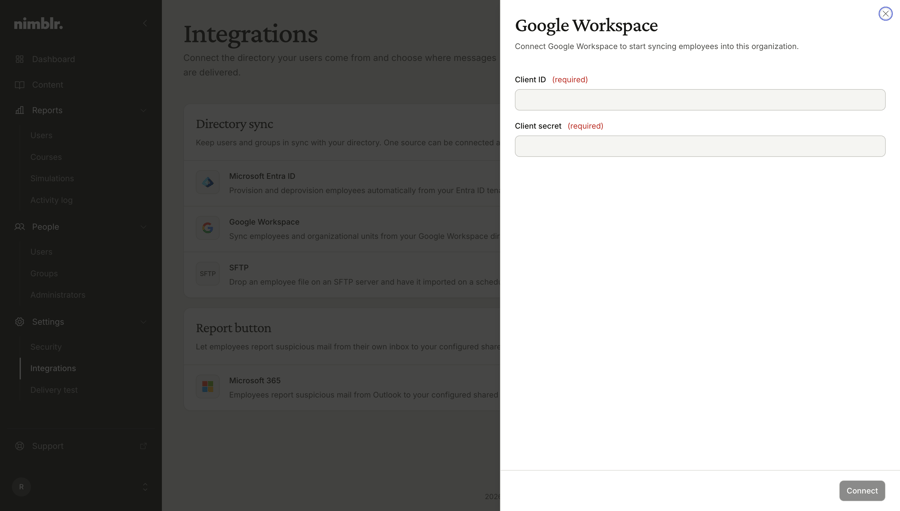
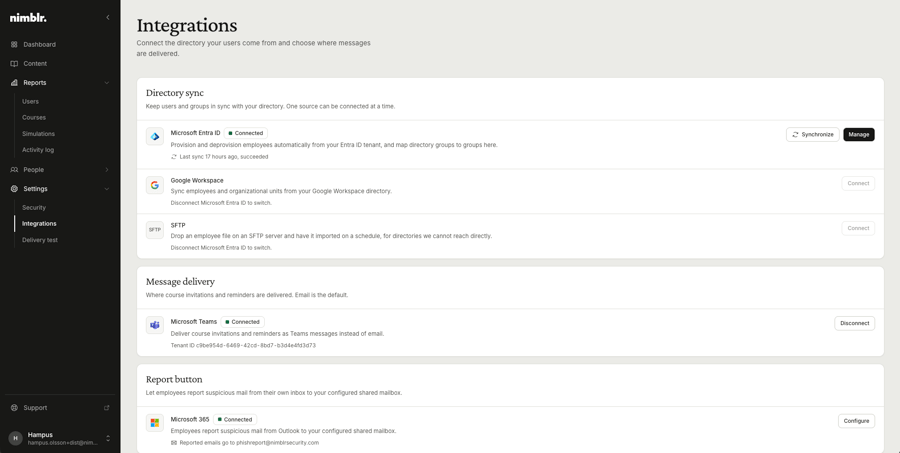
Nimblr connects to the systems you already run. Sync users automatically from Microsoft Entra ID or Google Directory, or use SFTP if you prefer a file-based setup. Connect the Microsoft Report button to track phishing reporting. Every integration comes with a step-by-step guide in our Knowledge Base.

The goal is simple: security awareness training should run in the background of your organization, not become another system to maintain.

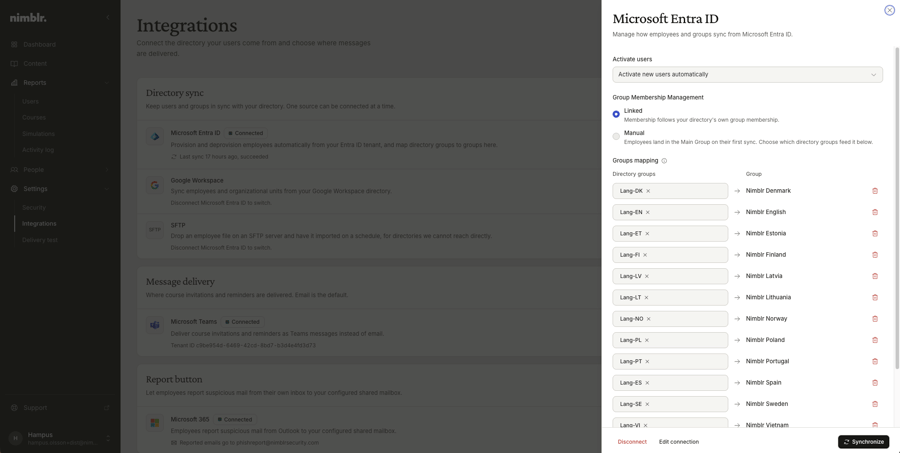
nimblr-microsoft-entra-integration-connection-data

Microsoft Entra ID

Sync your users and groups directly from Entra ID, so the right people get the right training automatically as your organization changes. New employees are picked up without manual work, and leavers drop out of the program on their own.

Follow the Entra ID integration guide in the Knowledge Base. When your client secret is due for renewal, this guide covers the update.
Screenshot showing SFTP selected as the integration type.

SFTP

For organizations that prefer file-based user management, or run a directory that is neither Microsoft nor Google, SFTP provides a straightforward way to keep user data in sync.

Follow the SFTP integration guide.

image-png-Mar-05-2026-10-26-03-6298-AM

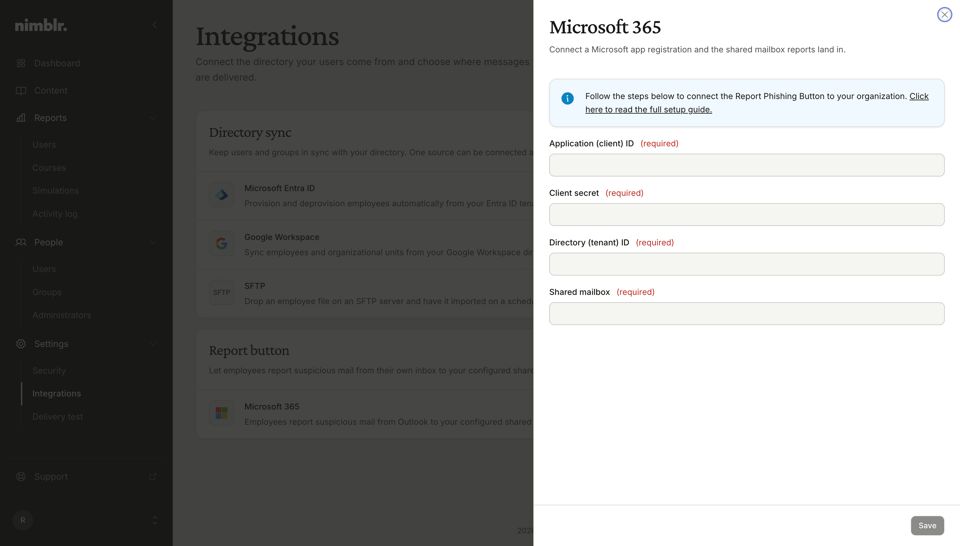
Microsoft Report button

Connect the Report button in Outlook to Nimblr and turn reporting into a visible, measurable behavior. Administrators and group auditors see in the portal which users report phishing simulations, and users get positive feedback the moment they report one correctly.

The integration reads a single dedicated shared mailbox in your environment. Nimblr never accesses individual user mailboxes, and access can be locked to that one mailbox following the principle of least privilege.

Follow the Report button integration guide.

Microsoft teams

If your organization runs Microsoft Teams, Nimblr can deliver security awareness training notifications there instead of email. Course assignments and reminders show up as a message from a single Nimblr app, right where employees already spend their day.

Teams is tried first, with automatic email fallback if a notification cannot be delivered, so no employee is missed. This is a one way notification channel, not a chatbot. Nimblr does not read or respond to messages in your tenant. Setup requires an existing Microsoft Entra ID sync and a one time admin consent for the Nimblr app.

Book a demo or talk to your Customer Success representative to activate it for your organization.

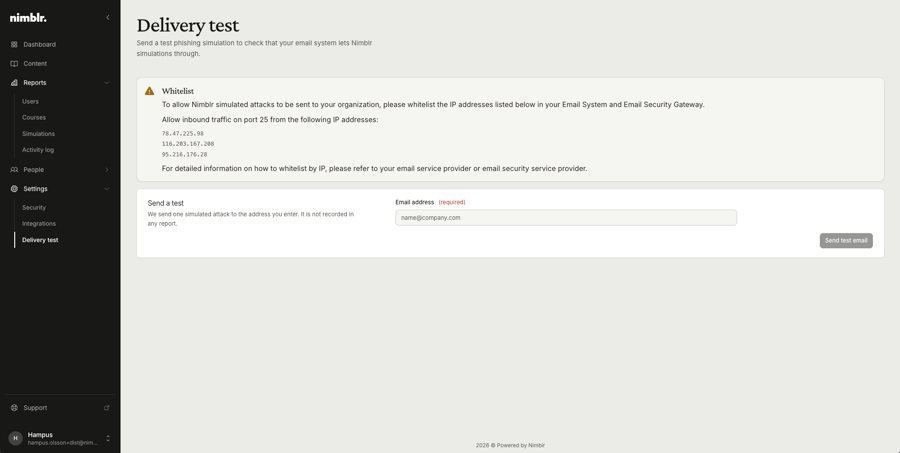
Screenshot showing a delivery test in Exchange Online to verify whitelist configuration.

Deliverability, done right

Realistic phishing simulations only work if they reach the inbox. Our whitelisting guides for Microsoft and Google environments make sure simulations are delivered, and that reported simulations are clearly labeled as training in your security tools rather than showing up as real incidents.

FAQs

How does Nimblr sync users
Three options: Microsoft Entra ID, Google Directory, or SFTP. Each has a step-by-step setup guide in the Knowledge Base.
Does Nimblr access our email?
No. The only email-related integration is the Report button, which reads a single dedicated shared mailbox that you configure. Individual user mailboxes are never accessed.
Can we limit what the integration can access?
Yes. Microsoft's application access policies let you restrict access to the shared mailbox only, in line with the principle of least privilege.
Do we need to whitelist anything?
Yes, whitelisting ensures phishing simulations reach the inbox and are labeled as training in your security tools. Guides for Microsoft and Google environments are in the Knowledge Base.
Can we get threat notifications, course invitations and reminders in both email and Teams?
No. An admin picks one channel in the Portal. If Teams delivery fails for a user, that user still gets the notification by email.

Book a demo

See Nimblr in Action

See how Nimblr helps organizations reduce human cyber risk with continuous security awareness training, realistic phishing simulations, and actionable reporting. Book a personalized demo with one of our experts.

Features

DataProtection_Shield

Role-based learning

Security training matched to real job risk. Nimblr role-based learning matches training depth to the risk each role carries.
Nimblr illustration of a bug inside a warning triangle.

Micro training

Interactive lessons under five minutes, in 30+ languages, delivered when they are most relevant. 
flash

Instant learning

Click a simulated attack and Nimblr delivers immediate feedback and a short lesson, turning mistakes into learning, not punishment.
DataProtection_Warning

Simulations

Realistic, customer-specific phishing, smishing, fraud and malware simulations, built from real attack data and delivered at randomized times. 
Content_small

Custom content

Turn your IT Policy, Code of Conduct, or company rules into a native Nimblr course. AI builds the draft, you edit with prompts, publish in any language.
Trend

Reporting

Track security awareness with Nimblr's Awareness Level, automated monthly reports, and a full event log. Clear insights for admins, auditors, and boards.
Nimblr illustration enlightning showinga brain in a lightbulb.

Platform

Fully automated security awareness training platform that drives behavioral change and security culture. 
nimblr-trusted-by-many

Set up

Set up your organization and screen users to get your Nimblr security awareness program running quickly.